


Can’t Login?
Follow these steps to gain access to your JLL supplier onboarding account.
My link for password creation has expired or is not working
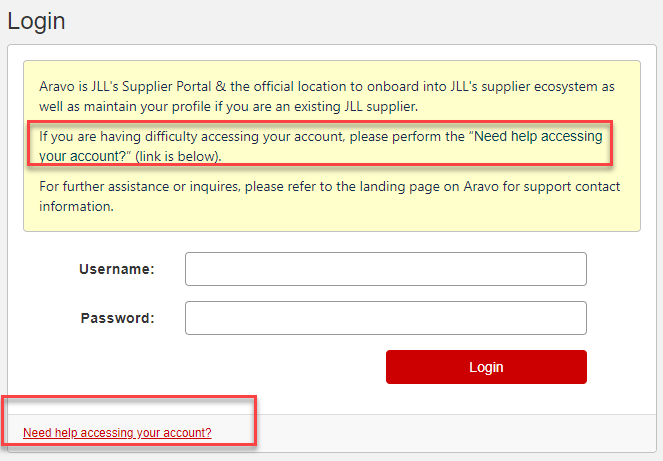
If you have email 2 of 2 with your temporary username, you can access Aravo: https://jll.aravo.com, and click on “Need help accessing your account?” at the bottom left corner of the screen.
Select “Forgot Password” and click CONTINUE

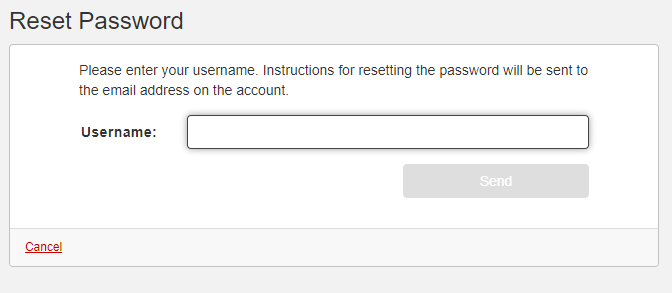
Enter the TEMPORARY USERNAME that came in Email 2 of 2 in this next screen and click on “Send”
I no longer have either email
If you don’t have either email for your credentials for Aravo, you can back up to the previous screen and click on “Forgot Username” to get another email.
Alternatively, you can reach out to your JLL contact or aravosupport@jll.com and have them re-send your login credentials before following the steps above.